
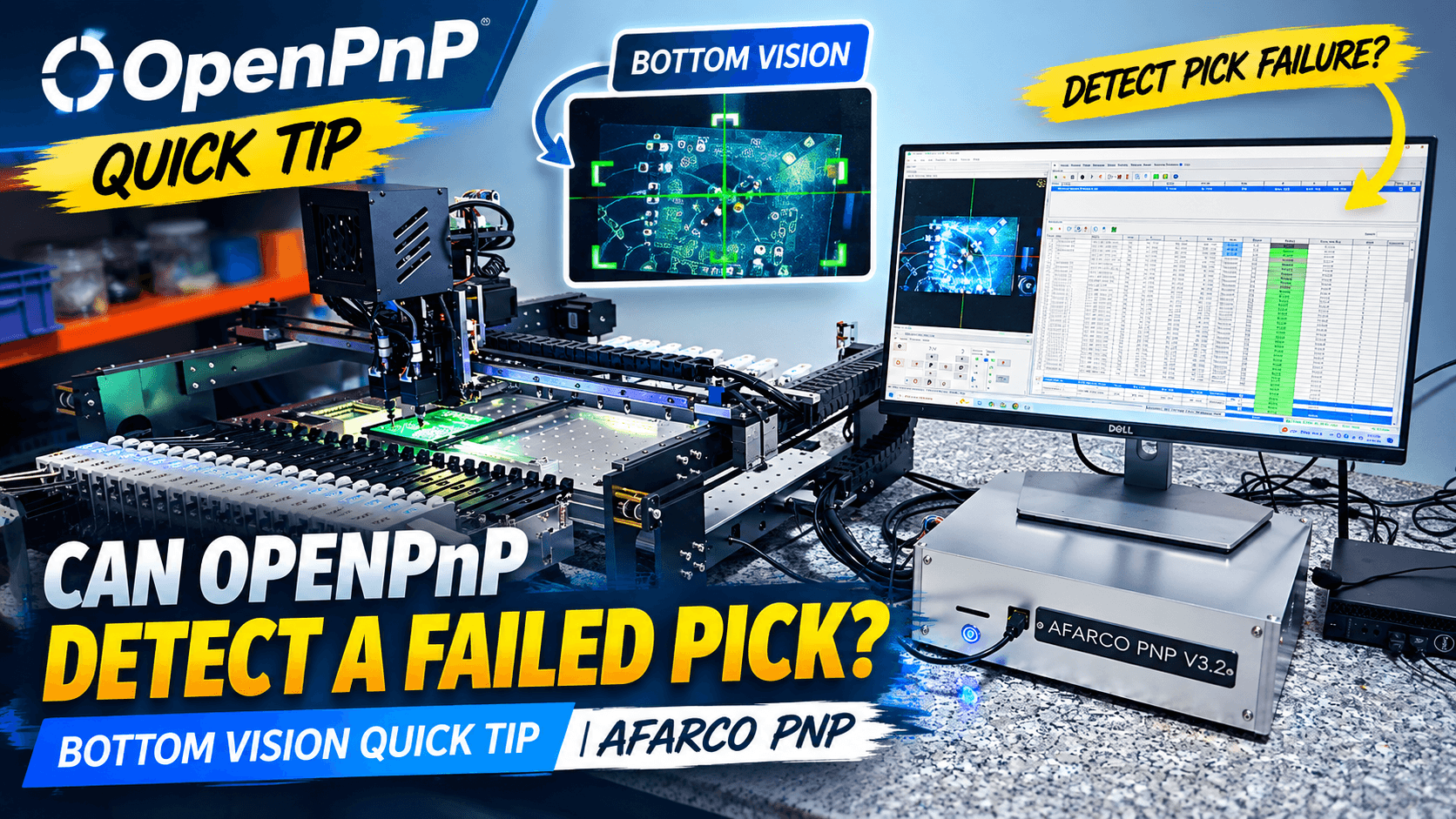
OpenPnP Error Handling: Advanced Recovery Mechanisms and the Shift to Bottom Vision
In automated Surface Mount Technology (SMT) assembly, speed is only half the equation. The other half—which directly determines your manufacturing yield—is Error Handling and Fault Tolerance. Without a robust recovery mechanism, a single mispicked component, flipped package, or empty feeder tape can halt the entire production run or damage an expensive PCB.
This article breaks down the official OpenPnP Error Handling architecture, explores two core recovery workflows used in real-world operations, and explains why modern Bottom Vision systems are rapidly superseding traditional vacuum pressure sensors.
1. Overview of OpenPnP Error Handling Architecture
According to official OpenPnP technical documentation, a Pick and Place job operates as a Finite State Machine (FSM). Every placement cycle strictly adheres to a sequential chain:
Locate Feeder --> Pick --> Vision Inspect --> Align --> Place
When a failure occurs at any link in this chain—such as vacuum threshold loss, misaligned component geometry, or vision template matching failure—OpenPnP does not crash or stop abruptly. Instead, it triggers the Job Error Handler to execute recovery protocols.
Workflow Overview:
- Execute Pick └─> Inspection / Vision Check ├─> Success: Proceed to Place Component └─> Failure: Trigger Error Handler ├─> Automated Recovery (Auto-Retry / Discard Trash) └─> Manual Recovery (Human-in-the-Loop Pop-up)
2. Two Practical Error Recovery Workflows
In real-world SMT operations, OpenPnP provides two distinct recovery approaches depending on your automation requirements:
Method 1: Automated Recovery (Unattended Operation)
Designed for continuous production without requiring human intervention:
- Auto-Retry & Discard: When a pick fails or a component is detected as severely misaligned, the nozzle moves directly to the designated Waste Dustbin / Discard Location to purge the bad part.
- Automatic Feeder Advance: The feeder automatically advances one pitch to feed a fresh part, and the nozzle attempts a re-pick (Retry) up to the user-defined Max Retries threshold.
- Board Protection: If the maximum retry count is reached without success, OpenPnP marks the specific component as skipped (Skip Component) on the PCB layout and safely proceeds to the next part, preventing job termination.
Method 2: Human-in-the-Loop Recovery (Interactive Intervention)
When an issue exceeds the software's automated threshold, OpenPnP pauses the job and displays an interactive dialog box providing precise technician control:
| OpenPnP Option | Technical Function & Machine Action |
|---|---|
| Retry | Instructs the machine to repeat the exact failed step (useful after adjusting feeder tape or mechanical alignment). |
| Skip | Skips the current part/board placement while completing all remaining components on the PCB assembly. |
| Ignore | Bypasses the software error flag and forces placement (used when visual verification confirms the part is usable). |
| Abort | Safely halts the entire job sequence to perform hardware inspection or recalibration. |
3. The Shift: How Bottom Vision is Replacing Vacuum Sensors
Historically, desktop and industrial PnP machines relied heavily on Analog Vacuum Pressure Sensors to verify pick success. However, differential pressure measurement has inherent technical limitations:
- False Positives: A clogged nozzle tip or a part stuck sideways can still build up negative vacuum pressure, triggering a false "Pick Success" signal despite a failed pick.
- Micro-Components (0402, 0201): Ultra-small nozzle orifices create minimal pressure differential, making threshold detection unreliable for miniature passives.
The Advantage of Computer Vision
With advanced high-resolution Bottom Vision Pipelines, OpenPnP does far more than calculating position offsets. It actively replaces vacuum sensing by providing optical inspection features:
- Optical Presence Detection: The bottom camera captures an image of the nozzle tip instantly after pick execution. If part pixels are missing, the system flags a pick failure immediately.
- Footprint & Tombstone Verification:
- Detects flipped components (Tombstoning), vertical standing parts, or off-center adhesion on the nozzle tip.
- Compares the captured surface area against CAD/Footprint parameters. Parts exceeding specified tolerance limits are automatically rejected to trash.
- Pin & Lead Integrity Inspection (IC / QFN / BGA): Unlike vacuum sensors, vision pipelines can count IC leads and detect bent pins, bridging, or deformed solder balls prior to PCB placement.
Technical Takeaway: Leveraging OpenCV-based camera pipelines within OpenPnP delivers superior detection accuracy while eliminating complex analog pressure sensing hardware and tubing maintenance.
4. Best Practices for Configuring OpenPnP Error Handling
To achieve maximum production yield on your desktop SMT setup, consider the following configuration settings:
- Optimize Max Retries: Set retry attempts to 2 or 3. Setting this value too high leads to wasted cycle time
shareShare this article